

The ZIP Reader is a great tool for quickly and easily extracting files from ZIP archives. It's easy to use and allows you to select the archive you want to extract data from and view all the files within. You can then select specific items or pick the general unpacking option, specify the destination folder, and immediately access all the decompressed content. It's a great time-saver for anyone who needs to quickly and easily extract files from ZIP archives. Highly recommended!
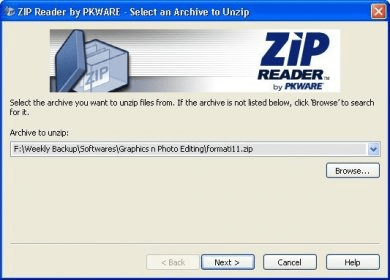
Zip Reader is not a simple compression and uncompressing utility like other programs. It is simply a Zip reader as its name said. It can only uncompress the zipped files. You can not use this utility to compress your favorite and important files. But it is very useful, because you can uncompress any compressed file just by double click on it, therefore it will save lots of time if you regularly uncompress a large number of files. So by using this software you just have to double click on the compressed file and Zip reader will simply create a new folder in the same location of the compressed file with uncompressed files. But according to my experience with this software, it takes more time then average to uncompress a compress or zipped file. Well, if you want to uncompress a zipped file to a different location other then the location of compressed file then you required to open Zip reader from its icon and then browse zipped file and tell the location where you want your unzipped files. You can also drop any compressed file in the Zip reader’s icon to uncompress it on your desktop. It is the quickest way to uncompress any file.




Comments (2)